The use of cutting-edge materials and manufacturing processes in the design and production of Elements_Efi has resulted in a product that is both durable and sustainable, reducing the environmental impact of its use.

The use of cutting-edge materials and manufacturing processes in the design and production of Elements_Efi has resulted in a product that is both durable and sustainable, reducing the environmental impact of its use.

The use of cutting-edge materials and manufacturing processes in the design and production of Elements_Efi has resulted in a product that is both durable and sustainable, reducing the environmental impact of its use.

The use of cutting-edge materials and manufacturing processes in the design and production of Elements_Efi has resulted in a product that is both durable and sustainable, reducing the environmental impact of its use.

The first internal product designer at a crypto gaming startup. No design foundation, no component library, just a live product with many game types, built by developers, moving fast. I built the system from scratch, shipped color tokens to codebase, wrote a custom Figma plugin to generate components at scale, and onboarded the next designer onto it. All while everything else was still shipping.
August 2025 - Present
Engineers
Me as designer
Figma
Claude
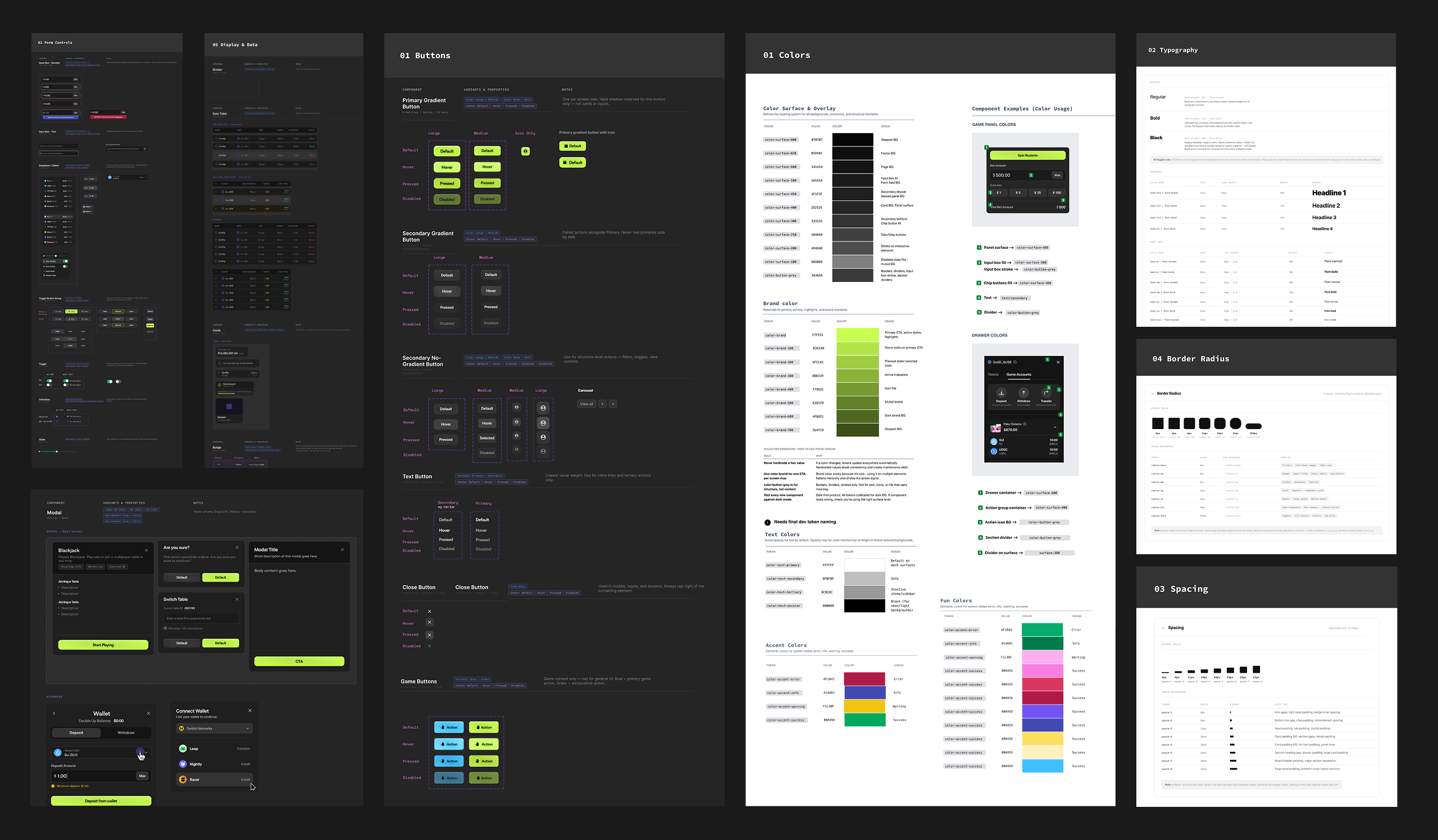
When I joined, I was the first internal product designer the company had ever hired. Which sounds exciting, but it also meant walking into a product that had been built entirely by developers, moving fast, with zero design foundation.
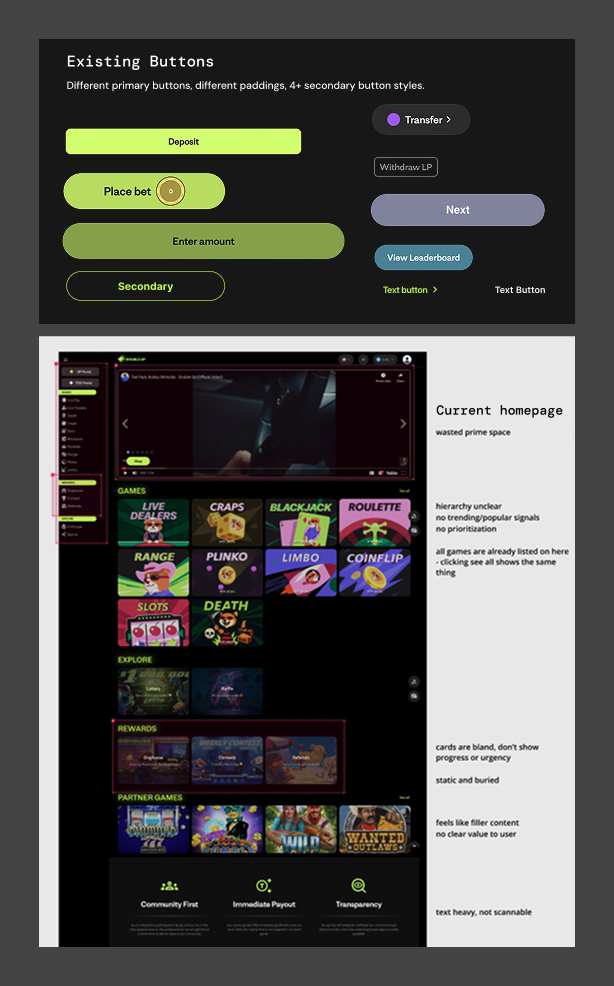
Casino games, sports betting, live table games, all on the same platform, all looking completely different. Neon buttons everywhere in different sizes and styles. Inconsistent padding. A previous designer's leftover styles that nobody was using. Developers making their own UI calls because there was nothing else to reference.
No shared language meant every new feature was a fresh negotiation about what things should look like.
Introducing a design system into a live product is all about timing. When the team is already planning a rebuild, that's your moment. I didn't pitch a proposal or wait for approval. I just started. I didn't try to sell the whole system upfront. I started with the things that were already breaking. Got those in front of developers, and let the wins do the convincing.
Nobody asked me to build this. I built it anyway.
The company's priority was shipping. Speed was the culture, and a design system is a hard sell. But I was the lead designer on a product with no shared foundation, no reusable components, aligned color styles and I could see exactly what that was costing us every sprint.
Behind each of these was the same business reality: every hour a developer spent rebuilding a component was an hour not spent on growth, retention, or new features.
Make the product consistent
across all game types without slowing down shipping.
Give developers something to build from independently.
No more on-off design decisions.
Stop rebuilding the same components every sprint.
Features always started at zero.
A foundation for the 2nd designer.
Something documented and learnable.
This wasn't a clean project with a dedicated sprint. No design system ticket in Jira. It happened in the gaps, between other projects.


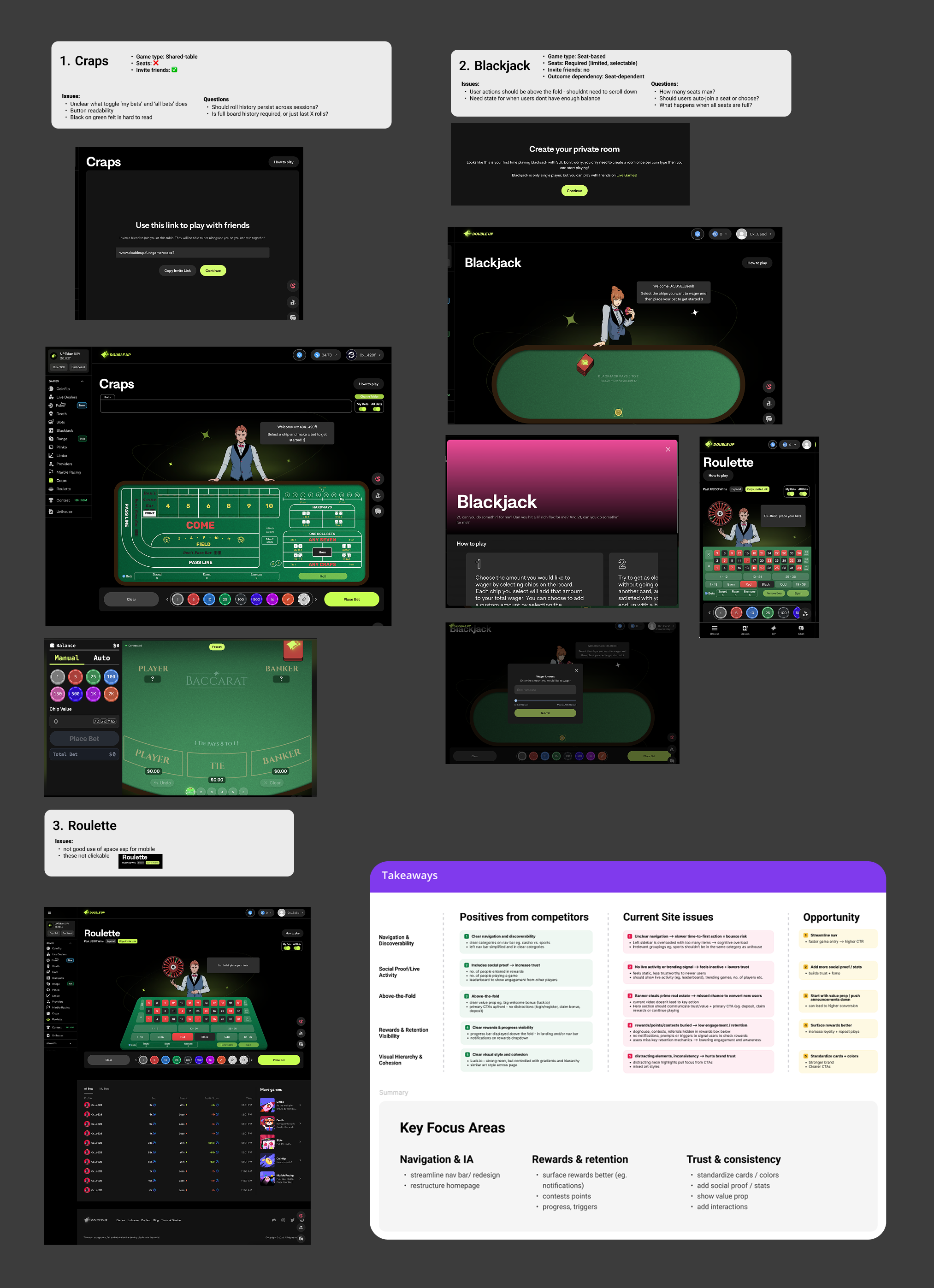
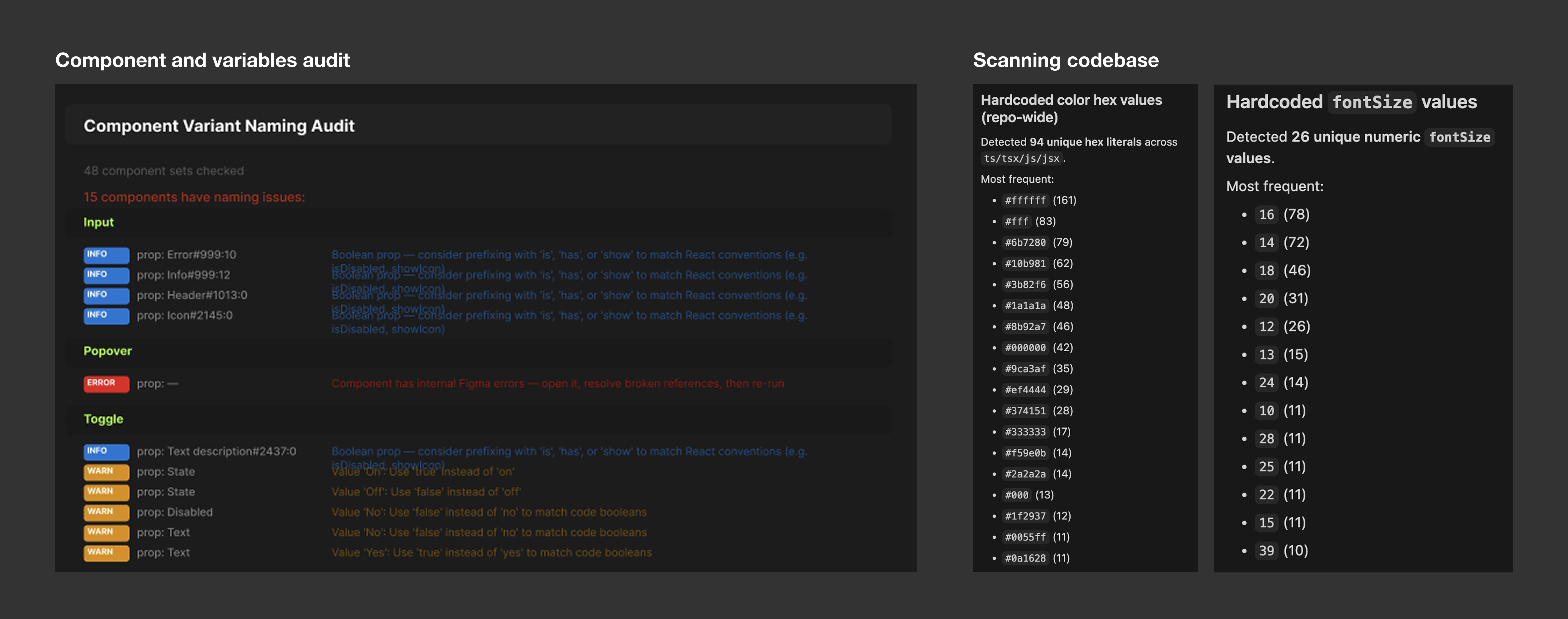
Auditing site, games and noting inconsistencies

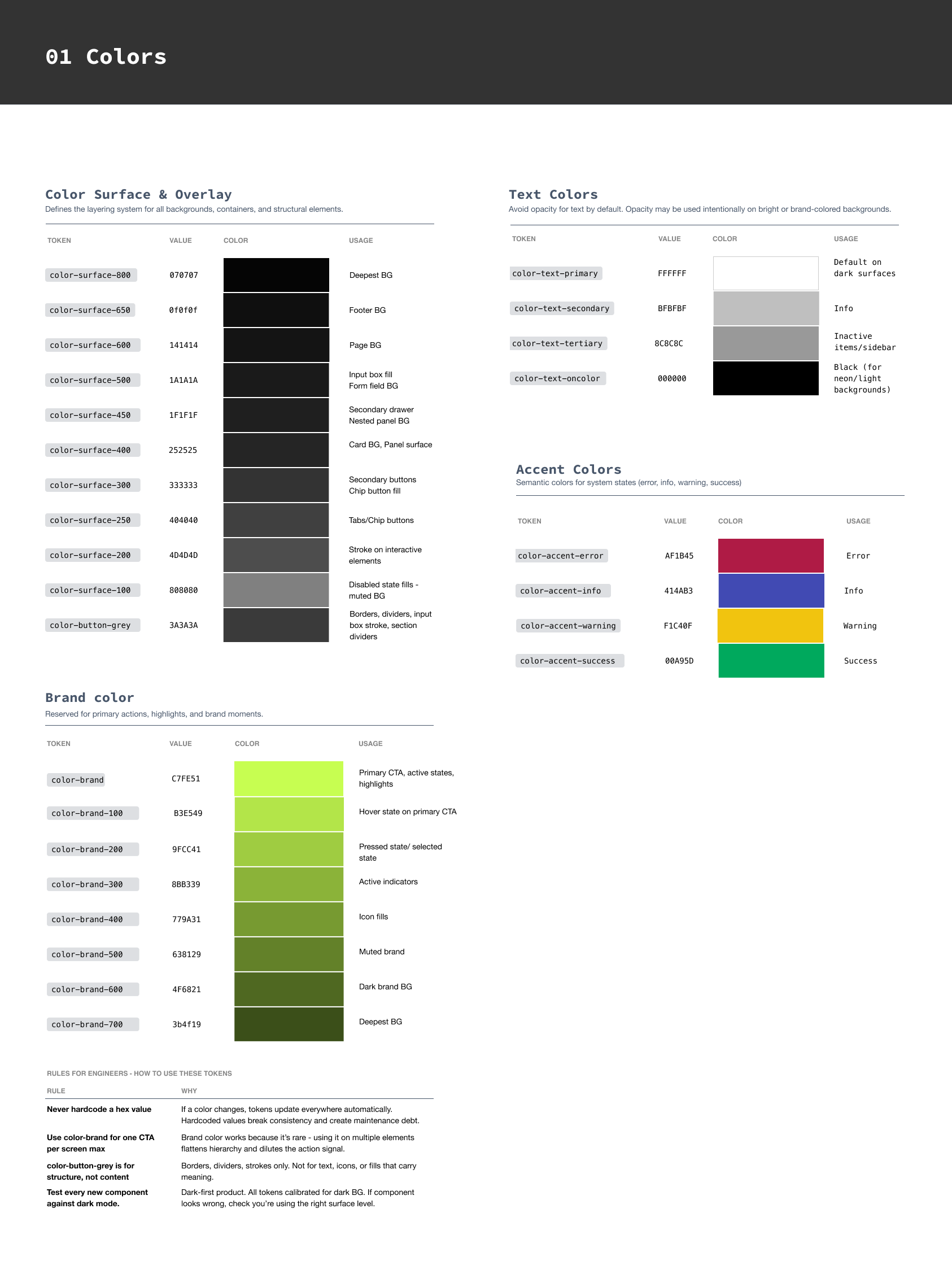
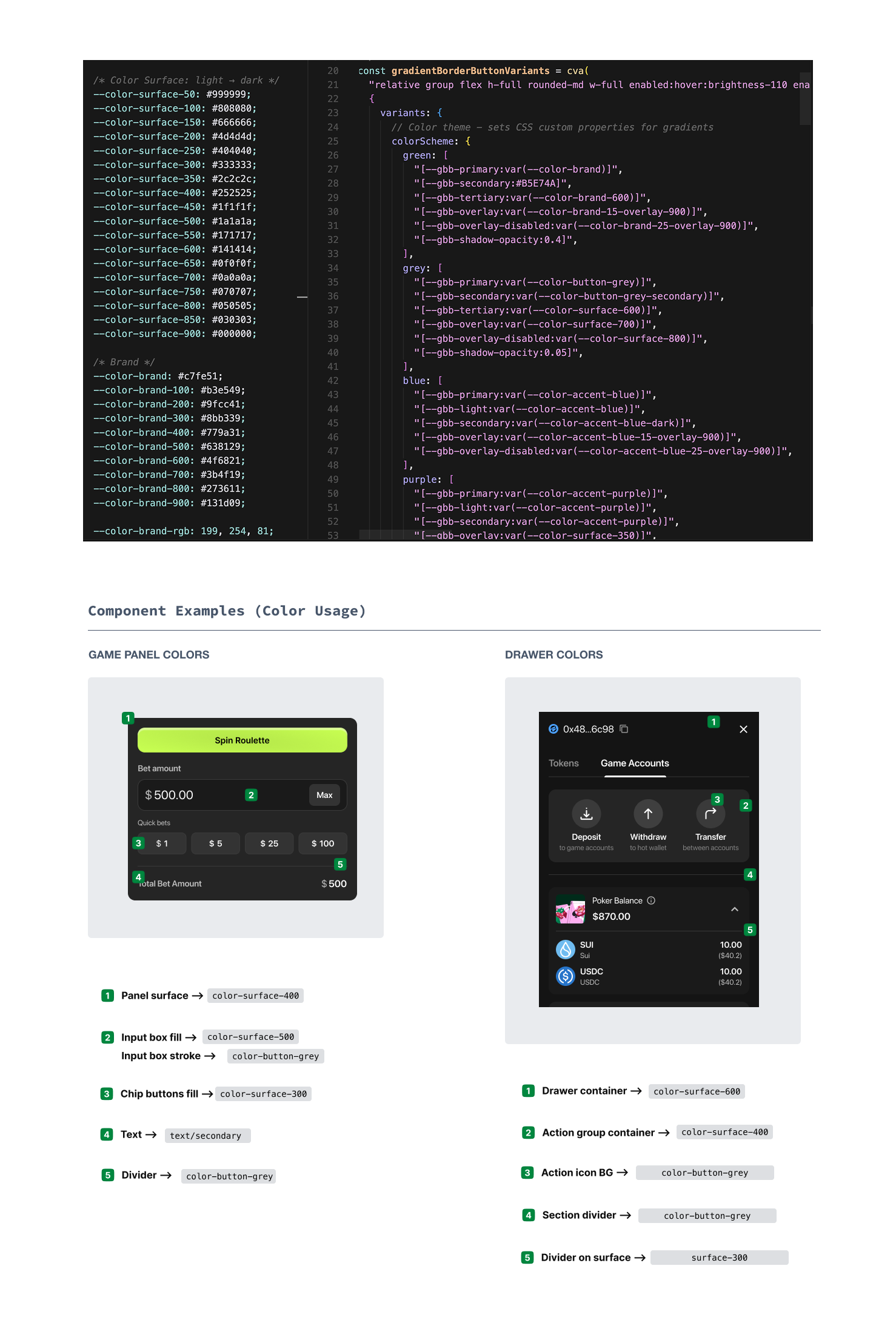
Color token system alongside CSS variable implementation

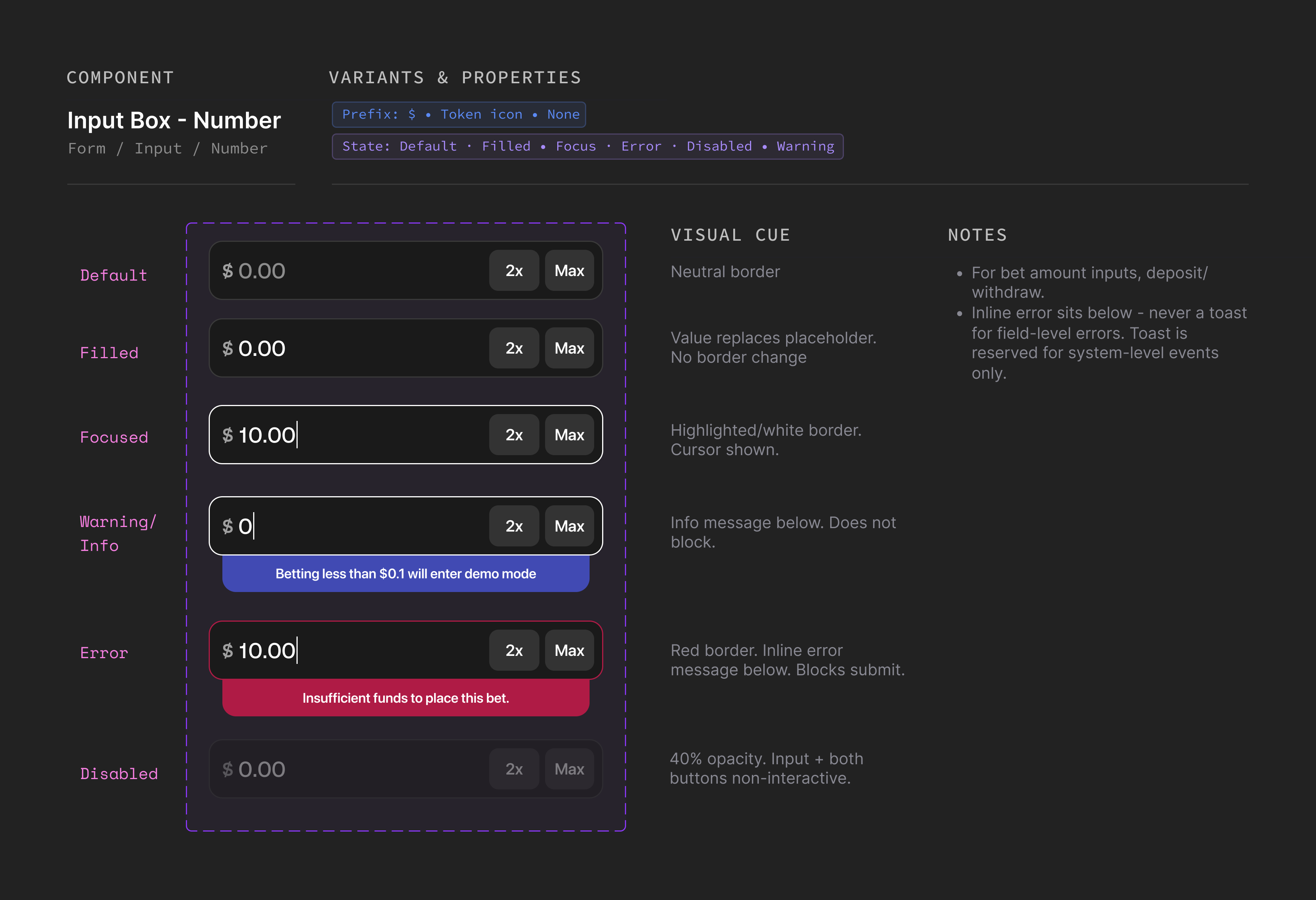
Input box component state coverage
Updated multiplier game panel

Standardizing game components: labels, player avatars, footer

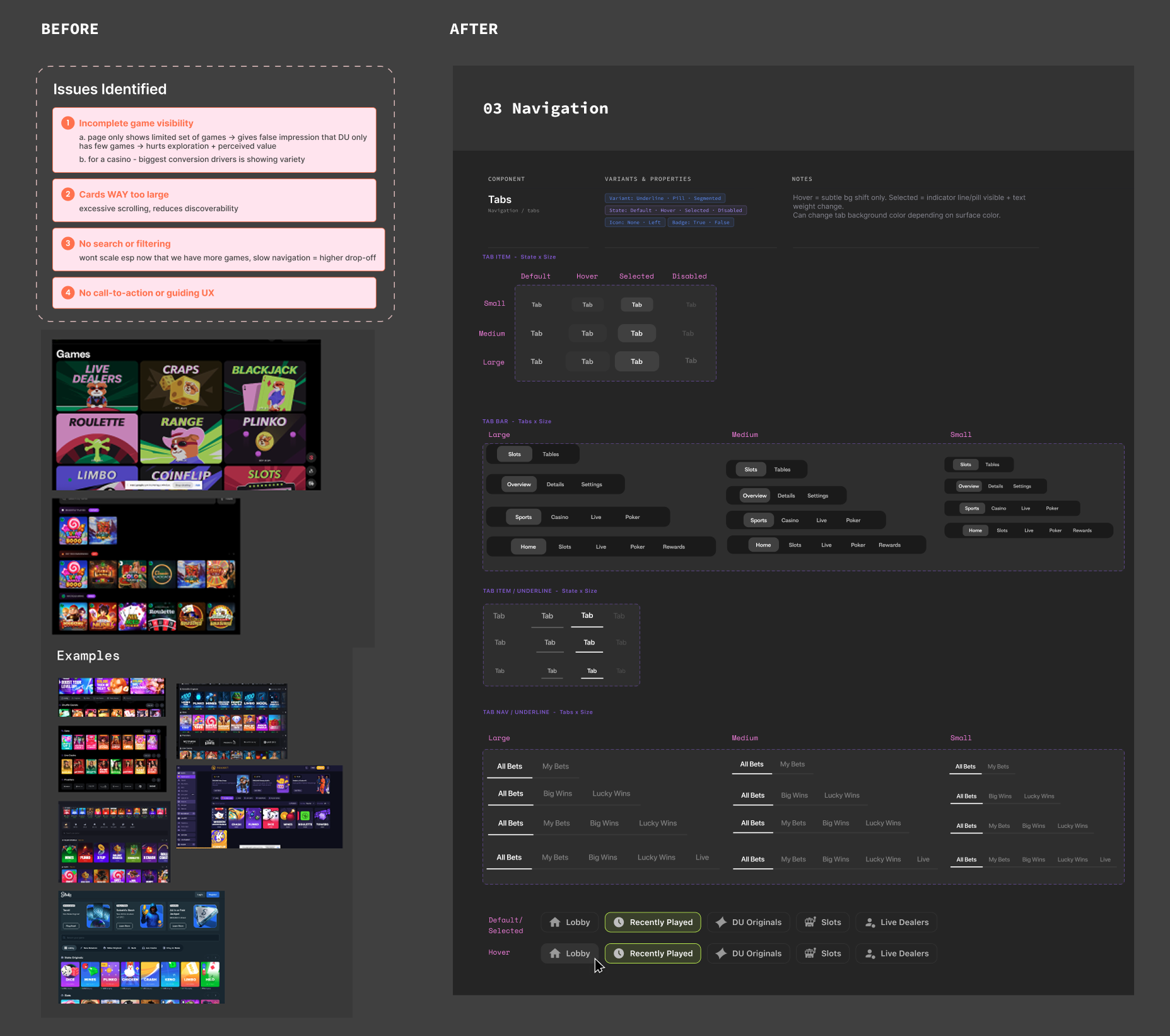
Tab component states & variants


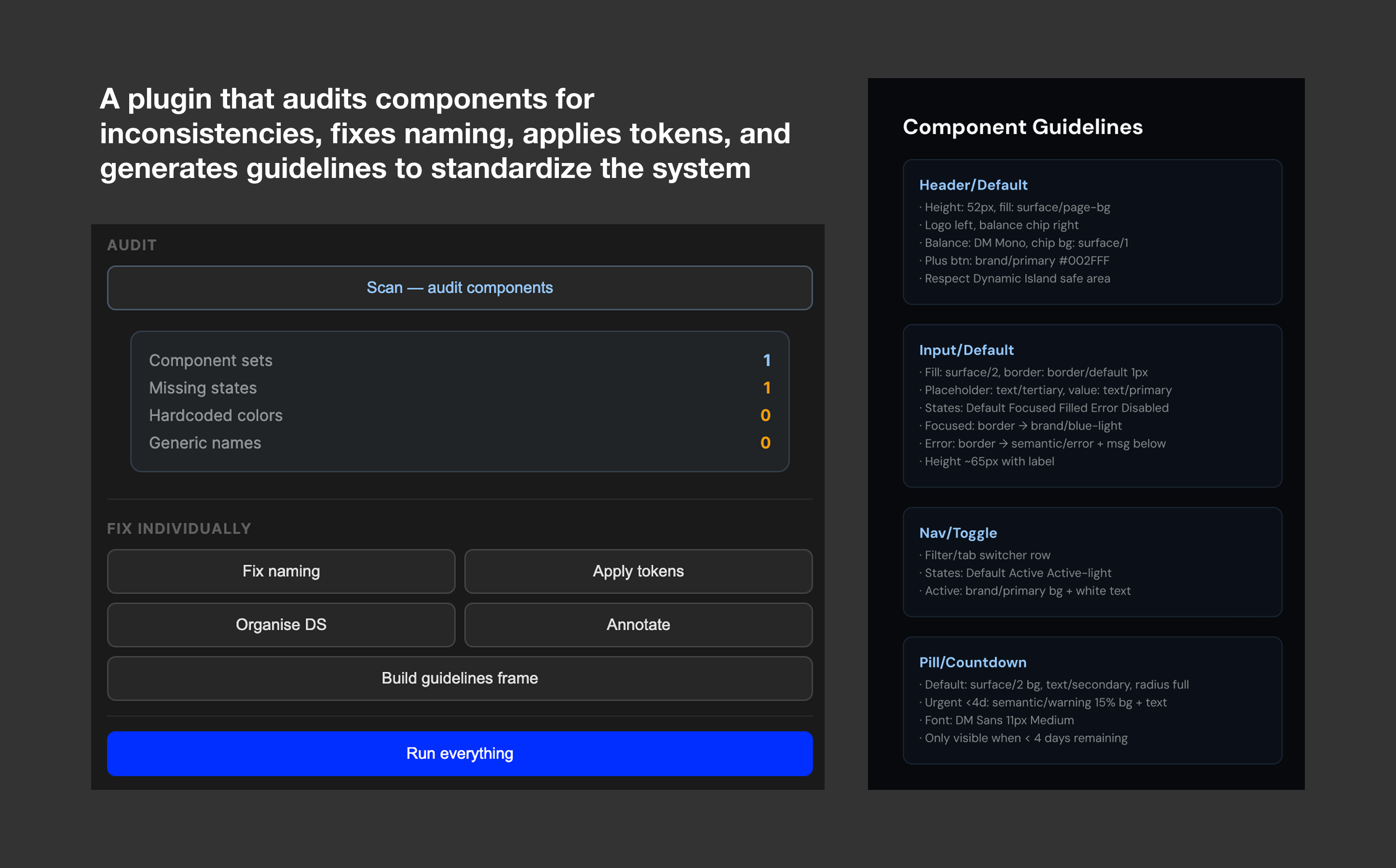
Grace's Script Runner plugin + DS component gap analysis


While building the system, I kept finding components where the problem wasn't just visual inconsistency. It was that the existing design was actively hurting the experience. Components like broken feedback states and confusing game panels aren't just design debt. They're churn risks. I prioritized the ones with the highest user touchpoints and the most direct impact on trust and engagement.
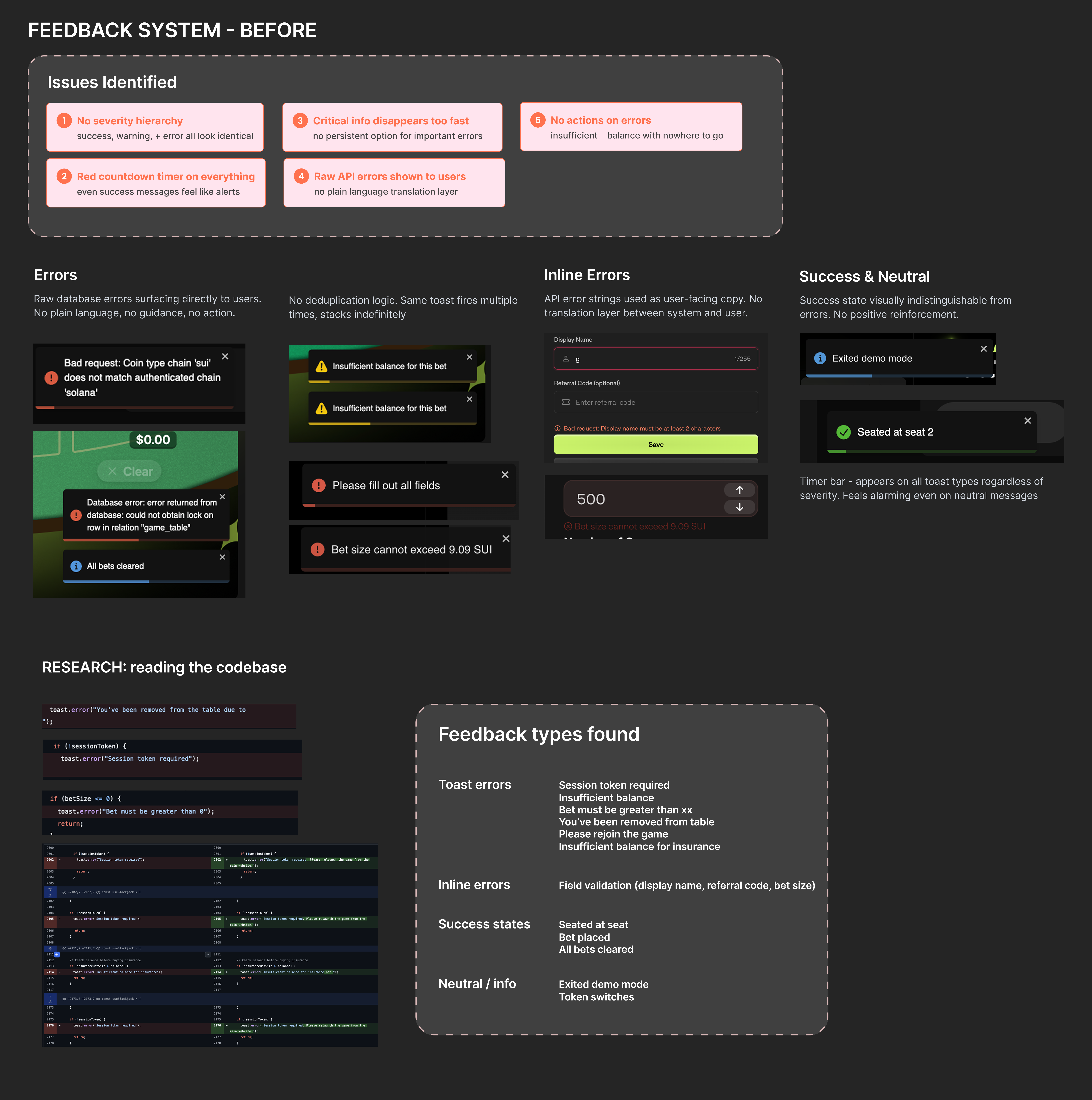
The Problem: Every win felt like a warning. Every notification had a countdown timer.
Success, error, warning, they all looked identical and they all felt urgent. In a product where a user's first win or a smooth deposit moment should feel good, that's a retention problem. Anxiety where there should be delight erodes trust fast, and trust is the whole game when real money is involved.
So first, I did an audit. Screenshotted every feedback state across the platform to see what existed, and then went into the codebase to find every toast.error and toast.success call. That research surfaced six distinct error types that were all being handled the same way: session errors, balance errors, field validation, neutral info, success states, all with the same styling and the same timer.

Feedback system before
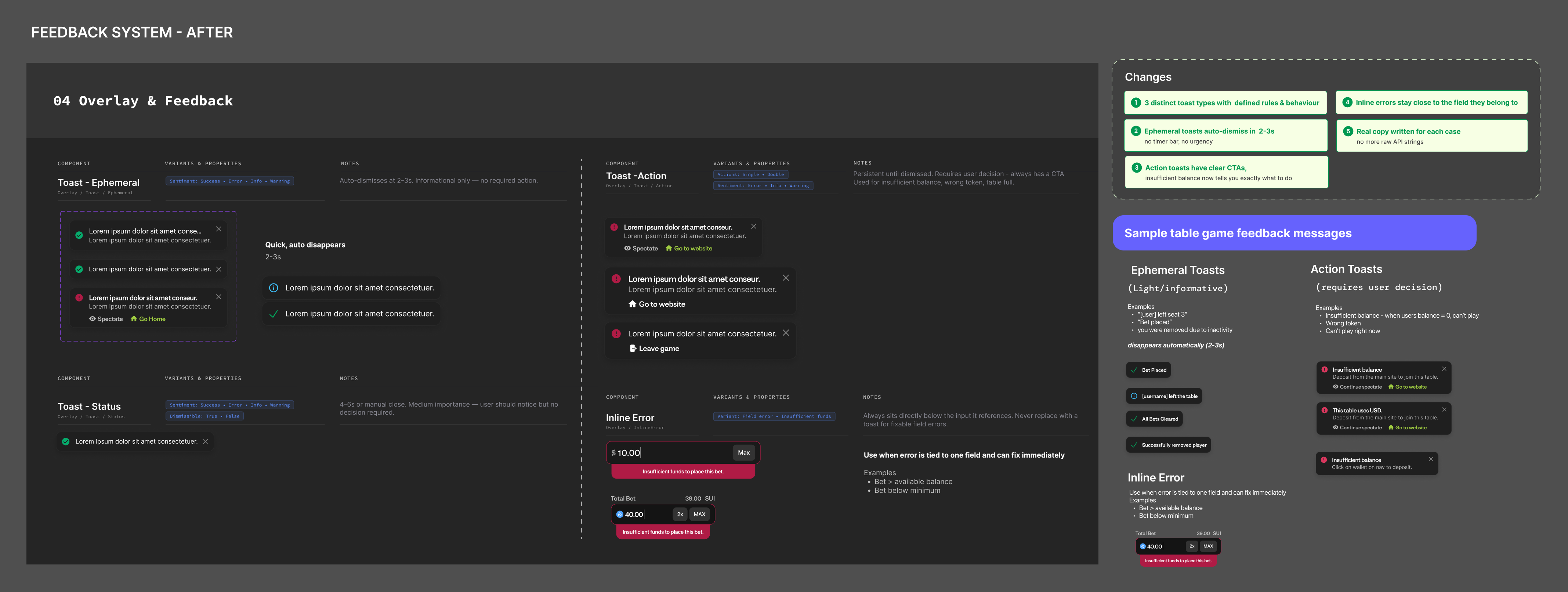
Once I understood the full scope I built the system. Three types with clear rules: ephemeral toasts for quick info that auto-dismiss in two to three seconds, status toasts for things worth noticing, and action toasts for anything that needs a decision with a clear CTA. Each type documented in the design system with variants, timing, sentiment, and real copy written for each case.

After - three types with defined behaviour and real copy
The problem: Every game had built its own version of the game panel.
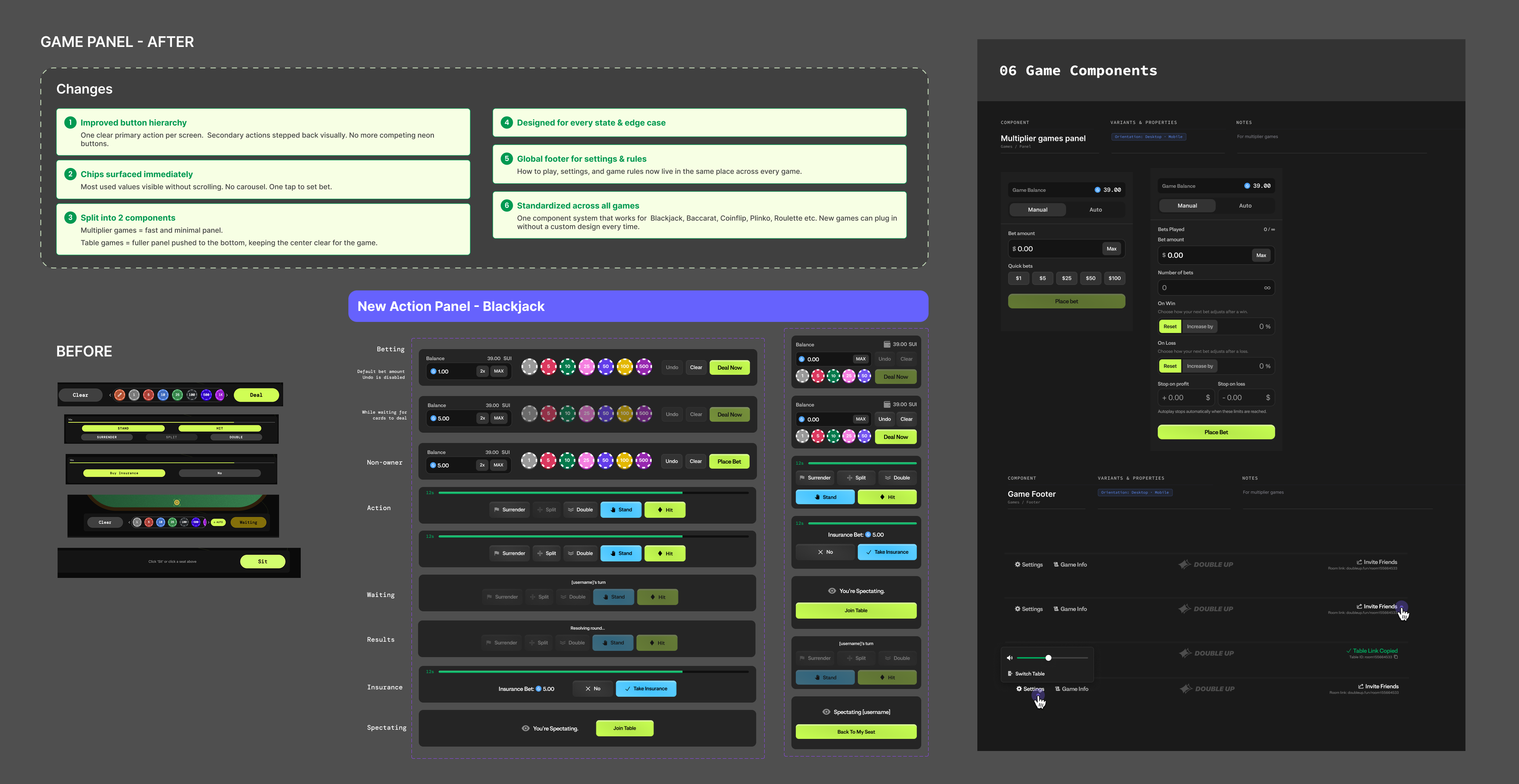
Every game had built its own version of the game panel. Same platform, completely different layouts, different button hierarchies, different rules for where settings lived. Important actions hidden in a carousel. Large empty space on desktop. Nobody had ever zoomed out and looked at this as a system. This mattered because this UI element every user touches on every session. Inconsistency here isn't a polish problem, it's a conversion problem. A confusing panel means slower decisions, more errors, and users who don't come back.
I started by auditing every game panel and mapped inconsistencies. I realized the games fell into two groups with fundamentally different needs.
Multiplier games: The panel needed to be minimal, quick to interact with, and completely out of the way of the game itself.
Table games: The action happens in the centre of the screen. So I pushed the panel to the bottom to keep the centre clear, surfaced the most used chip values immediately without a carousel, and made the action hierarchy obvious at a glance.
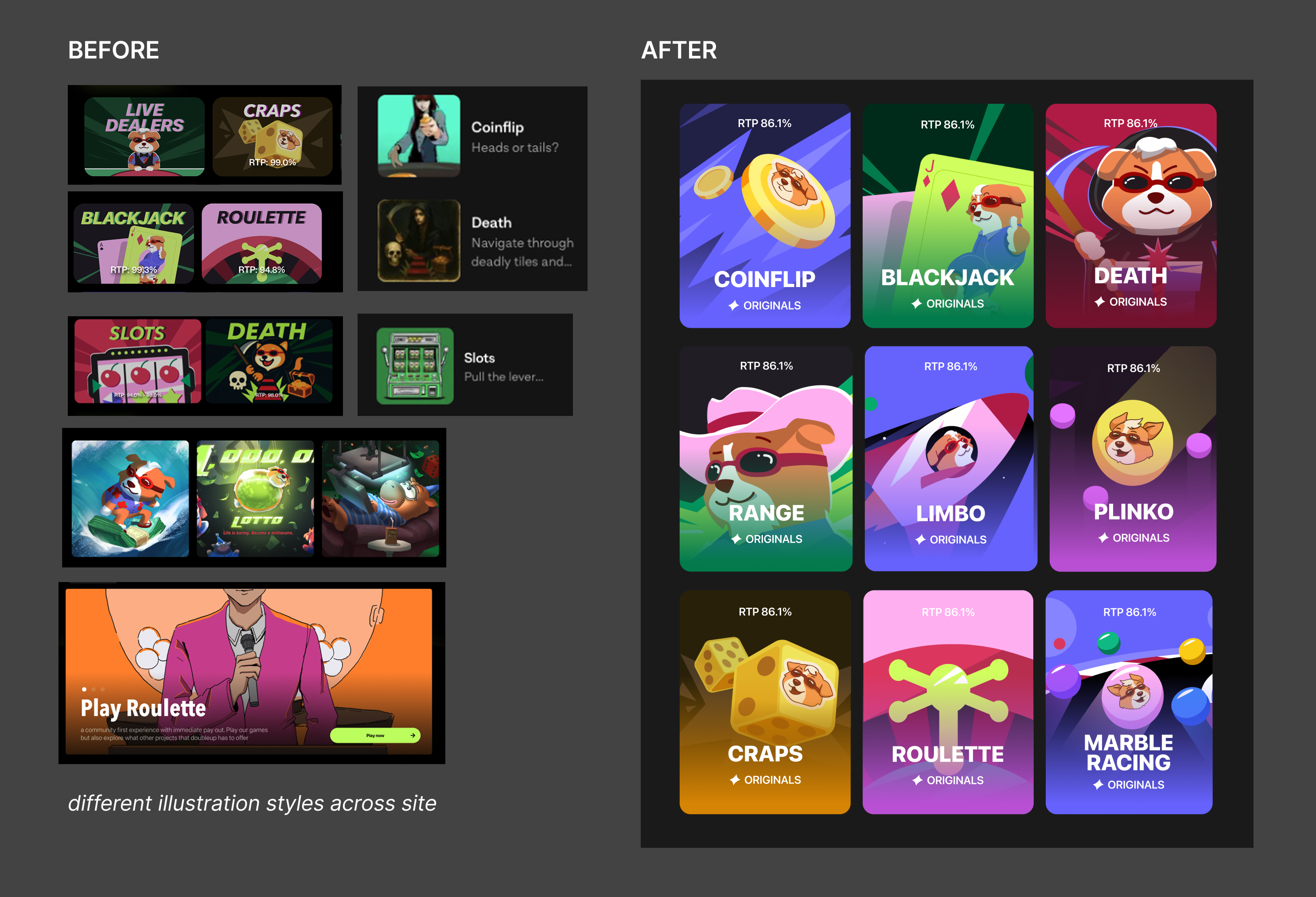
Four things shipped: a standardized table game panel, a standardized multiplier game panel, a global footer component for settings and rules, and a unified visual style for game assets across the platform.

Game panel audit

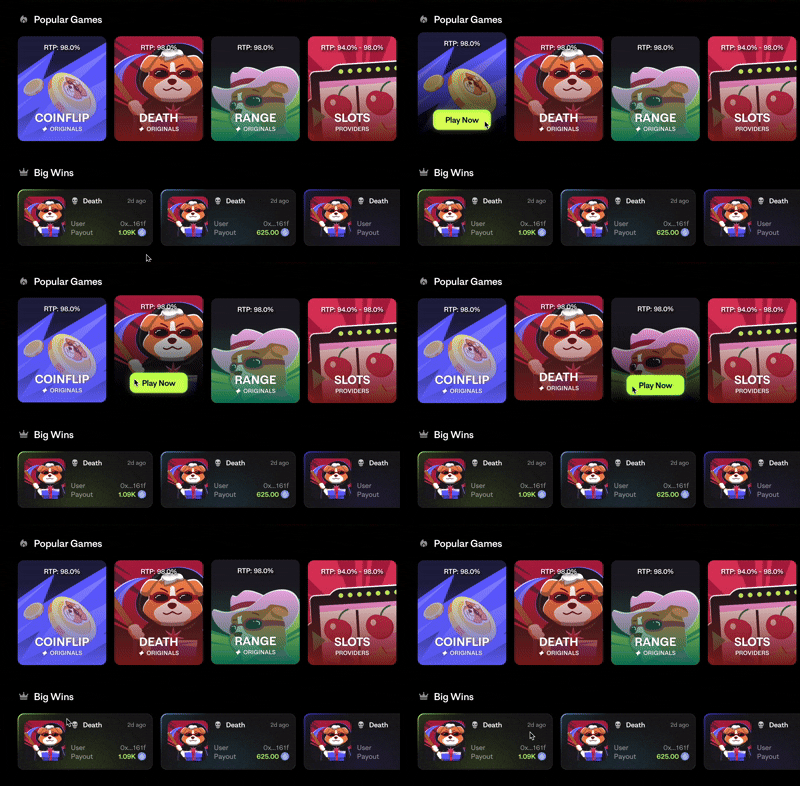
Game panels after: One-shared system

From mismatched agency styles to a single cohesive visual language.

Final player avatar designs and components
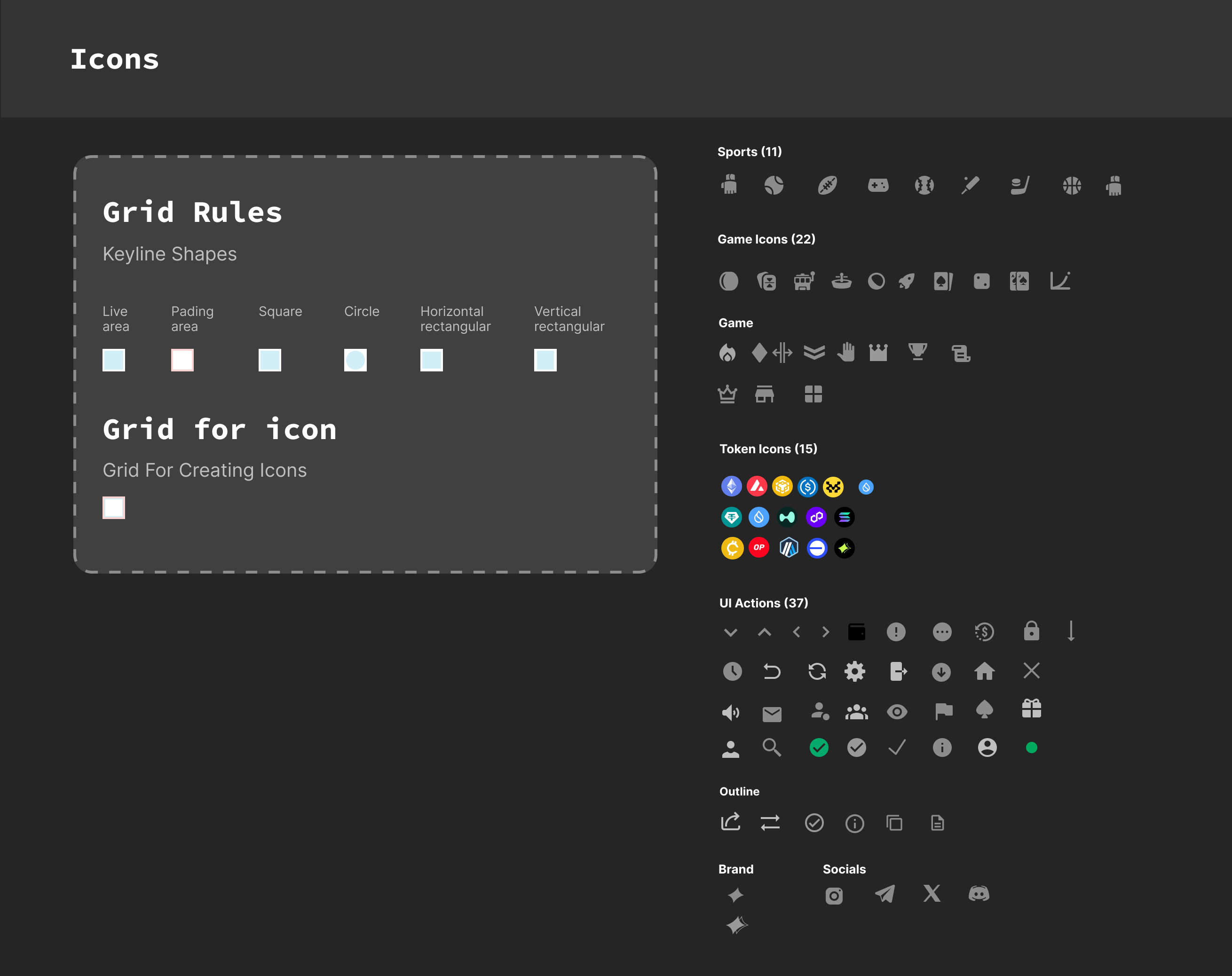
Icon library - grid rules, keyline shapes
120+ components with full state coverage. 3+ products running on the system. Designers and devs working more independently. From no design culture to a team that defaults to the system first on every new feature.
Walked them through token structure, component naming logic, how to use the library, when to extend versus create something new. Before this there were no colour styles, no text styles, no component states. Now design work that used to take months takes weeks. Full game interfaces that required weeks of back-and-forth can be turned around in days.
The hardest part wasn't building 121 components. It was convincing a startup that moves fast and ships fast that slowing down to build this properly would make everything faster. That argument is a lot easier to make when the system is already working.
I had to think like a PM. 120+ components solo meant constantly triaging. What's breaking things right now, what's blocking developers, what has the most surface area. Prioritizing was its own skill.
I genuinely got better at components. You don't really understand a component until you've designed every state, tested it across four game types, and documented it for someone else. I came out a much better component designer than I went in.
Constraints made it better. Working solo meant I couldn't build everything, so I had to be smarter about what I built and when. I learned how to actually use AI properly and how it can help save time.
I got comfortable in the codebase. Not as a dev, but enough to be useful. I went in to check how tokens were actually being used, fixed spacing inconsistencies, badge sizing, hardcoded colors that should've been variables. When you've seen how your decisions land in code, you stop making ones that create unnecessary work for engineers.